Update for Libby eBook Users: Due to an OverDrive security update, all CLAMS Libby users will need to verify their library cards in Libby again on or after TUESDAY APRIL 4th Monday, March 27th. To learn how to verify your library cards in Libby, click on this link.
Showing posts with label eBooks. Show all posts
Showing posts with label eBooks. Show all posts
Thursday, March 23, 2023
Update for Libby eBook Users Tuesday April 4th


Friday, February 17, 2023
Changes Coming to your CLAMS Account February 24th - 27th

Vineyard Haven Library and the CLAMS Library Network will be switching to a new software system on Monday February 27th. This will include a new online catalog that library patrons will use to search for books and other items, place holds and requests, and renew items online.
The CLAMS Libraries have selected a new user-friendly catalog designed to make it easier than ever to find and borrow materials from the library! This powerful new search engine includes features like predictive search text, curated lists, personalized recommendations, and greater control over your user account.
Data migration will take place Friday February 24th through Sunday February 26th
During migration, library users will be temporarily unable to:
- Renew or request items through the CLAMS Catalog or Commonwealth Catalog
- Checkout items in Overdrive/Libby App (on Sunday)
- Access some other digital library resources
Vineyard Haven Library will be open regular hours on Friday and Saturday, but since our system will be down during migration, please bring your library card if you wish to checkout materials. The Library will be closed for the day on Sunday February 26th.
The library will not be checking in materials during the migration, but no late fees will accrue on items returned during migration– all Martha’s Vineyard libraries are always fine free!
The new “Aspen Discovery” catalog goes live on Monday February 27th:
- The web address will stay the same, library.clamsnet.org.
- The PIN/password you use to access your CLAMS account online will change to the last four digits of the phone number on your CLAMS account. On February 27th and after you can reset your PIN to the number or password you prefer to use.
- If you checkout eBooks using Overdrive or Libby apps, you will need to re-enter your new password the first time you checkout.
- If you have opted in to save your reading history in the current CLAMs catalog, your reading history will be transferred to the new system, however you will need to “opt in” again, and your history may not be transferred immediately.
If you have any issues with accessing your new account or have questions about migration, please give us a call at (508) 696-4210, or email vhpl_mail@clamsnet.org
For more information including frequently asked questions, visit info.clamsnet.org
We appreciate your patience during this transition!
Monday, June 28, 2021
Libby eBooks & eAudio Virtual Patron Training

10 am Monday July 12th
Libby eBooks & eAudio Virtual Patron Training
Experts from OverDrive are coming to help you access our library’s digital collection of ebooks and audiobooks through the free Libby app!
If you haven’t used the FREE Libby app yet to borrow digital titles from our library, join at 10:00 to learn how to Get Started with Libby. This virtual session will get you up to speed on everything you need to know to get started with Libby, including:
- Finding your library and signing in
- Navigating the app
- Browsing and searching for titles
- Borrowing titles and placing holds
- Managing notifications
- And much more
Want to learn the experts’ favorite tips and tricks? Join us at 10:45 for the Libby Deep Dive session, where OverDrive experts will show you how to get even more out of our Digital Collection.
Just have a few minutes? Want to ask the experts a few questions? Joe and Marissa have an open period at 10:35 (following Getting Started and before the Deep Dive) to chat!
CLICK HERE to Register for this free event:
http://bit.ly/vineyardhaventrain
Friday, May 1, 2020
New! Free Home Access to Ancestry Genealogy Database
Also available at home is the complementary resource HeritageQuest Online, provided by the Massachusetts Board of Library Commissioners with funding from the Institute of Museum and Library Services. HeritageQuest Online is designed for genealogy and family history research. It includes over 25,000 books, the entire US Census, and other expanding collections, making it one of the largest collections of genealogy material in the country.
Free Online Classes from the Library
Library cardholders who are just beginning to explore family history can learn more through online classes available on-demand and at your own pace.
The "Great Courses" collection on our Kanopy streaming video platform includes "Discovering Your Roots: An Introduction to Genealogy," a comprehensive 15-part introduction to the basics of genealogy research.
"Genealogy 101" is one of the hundreds of classes available through the library's "Universal Class" online learning center. New users can create an account using your library card number.
Free Internet Resources
Free online resources for local genealogy research include the Dukes County History and Genealogy Web Site, the Tisbury History and Genealogy Web Site, and the Portuguese Genealogy Project of Martha's Vineyard.
The USGenWeb Project is a group of volunteers working together and having fun providing free online genealogy help and information for every U.S. state and county.
American Ancestors is a membership organization, but anyone can register for a free Guest account to watch select how-to videos, webinars and courses and search more than 20 exclusive databases.
Genealogy eBooks on Overdrive
The CLAMS Overdrive eBook collection provides downloadable reference books that can be read on any device, including the popular titles Genealogy Online, Genealogy Online For Dummies, AARP Genealogy Online, and How to Do Everything Genealogy.
New to eBooks? Download the free Libby app to discover, check-out, and read eBooks and eAudiobooks from the CLAMS Overdrive collection, as well as the collections of other participating library networks statewide. For one-on-one assistance contact a librarian by emailing vhpl_mail@clamsnet.org, or calling (508) 696-4210 (leave a detailed message and a staff member will return your call.)
Sunday, April 12, 2020
Check out eBooks From OverDrive Partner Libraries

Did you know that the CLAMS Library Network has reciprocal lending agreements with seven other Massachusetts library networks? These agreements allow CLAMS patrons to use their CLAMS card to check out content from the other networks' digital catalogs -- a combined collection of over 350,000 titles!
Here is how it works:
From a computer:
- Visit the CLAMS OverDrive catalog at: https://clamsnet.overdrive.com
- At the top of the screen you will find a link to "Partner Libraries."
- Select one of the partner library networks from the list.
- From the partner library home screen choose "Sign In," select "CLAMS Library Patrons," and enter your CLAMS card number and PIN.
- You can now search and check out materials from the partner library just as you do from the CLAMS OverDrive catalog!
- To return items early, request renewals, or manage holds, you must sign in to your Account page on the lending network's OverDrive website. For example: items borrowed through SAILS will not appear on your Account page on the CLAMS OverDrive website.
- Tap on the Libby icon at the top right of the homescreen.
- Select "Add a Library" or select an already saved library from the list.
- Search for one of the following: Boston Public Library, Minuteman, CW MARS, Merrimack Valley Library Consortium, NOBLE, OCLN or SAILS.
- When asked to add a library card, choose "I'm visiting From Another Library." Choose "CLAMS Library Network." Enter your CLAMS card number and PIN.
- You can now search and check out materials from the partner library just as you do from the CLAMS OverDrive catalog
- Your Shelf displays all of your loans, holds, and tags from any network and library card added. You can completely manage or edit loans, holds, and tags from this one location.
- Each entry on your Shelf also indicates which network you borrowed that item from. The lending library network is marked by a square "gem" with their library network brand colors.
Saturday, March 21, 2020
Get an ecard, get an ebook
 If you don't have a library card you can apply online and get instant access to our eBook collection. If you haven't used your card recently and it has expired, send us an email at vhpl_mail@clamsnet.org
If you don’t yet have a CLAMS library card, you can now register online and start downloading ebooks or use databases immediately. Here’s how:
You will need a computer or cell phone and access to your email account.
1. Go to https://library.clamsnet.org/selfreg
2. Fill out the form and submit. The screen will refresh, with your name, new card number and username. Print the info, take a screenshot or jot down your new card number – you’ll need it in just a moment.
3. Click the link in the first bullet point to log in and create a PIN/Password:
Login to My Account and establish a PIN (Password) Scroll down to and click Did you forget your PIN/Password? Enter your new card number.
4. Check your email for a link to set your PIN/Password.
Your ecard will now be valid until June 30th and will give you access to materials at OverDrive for eBooks, eAudiobooks and eMagazines (when asked for your library, select “CLAMS Library Patrons”). It also includes all Massachusetts Library Database. Individually owned library databases such as Kanopy are not included. Please visit your local CLAMS library with a photo ID before June 30th to upgrade to a regular card with full privileges.
If you will be using your phone or an eReader, we suggest you download the Libby App.
Friday, December 21, 2018
New: Free Digital Magazines from Overdrive!
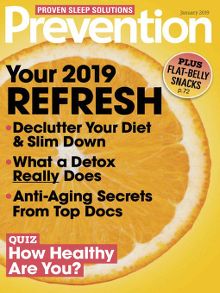


All CLAMS library card holders now have access to an all-new collection of digital magazines from OverDrive. Available through the popular Libby App platform, OverDrive App, and via web browsers, library users can access 50 popular magazine titles to check out digitally on their devices using their CLAMS library card. Overdrive magazines are always available with no wait times, and they do not count against patron checkout limits. Readers can also download magazines on Libby for offline use. You can browse the OverDrive Magazine collection here. For help getting started accessing any of our online resources, contact the library for a one-on-one lesson.
Wednesday, July 25, 2018
Announcing New Expanded eBook Access for Library Patrons!
Now there are more ways than ever to access ebooks and other online content with your local library card! The Vineyard Haven Public Library, along with the CLAMS sharing consortium of which we are a part of, is excited to be part of a pilot program to share ebooks with four other Massachusetts libraries. Now anyone with a CLAMS public library card (which is all libraries on the island) are able to borrow digital titles (including ebooks, eaudiobooks and online magazines) from other Massachusetts library networks, such as MLN, OCLN, SAILS and CWMARS. Library patrons will continue to use Overdrive.com or the mobile app Libby to request and download ebooks. The only change is that now when one logs on there will be the option at the top of the page to sign in, with one’s library card number and PIN, to additional libraries online ebook catalogs. This exciting new sharing opportunity is the first step in an eventual statewide digital sharing catalog, offering a better range and selection of digital titles to all library users. If you would like help access ebooks and other online materials please don’t hesitate to contact your local librarian today! Tech help appointments are available; email vhpl_questions@clamsnet.org or call 508-696-4211 for logon help to Overdrive.com or to set up an appointment.


Sunday, June 10, 2018
The Commonwealth eBook Collection is Moving to Overdrive
On June 30, 2018, access to Axis 360, BiblioBoard and eBook Central through the Commonwealth eBook Collections will end. That means that any eBooks checked out from Axis 360, BiblioBoard, and eBook Central will no longer be available, and any holds on eBooks through those platforms will be cancelled. Library patrons will continue to have free access to eBooks through the CLAMS Overdrive collection.
COMING IN LATE SUMMER/EARLY FALL: CLAMS will soon participate in an exciting Massachusetts pilot program for eBooks and will allow you to borrow OverDrive material from several other Massachusetts library consortia using your CLAMS library card. This cooperative effort is funded by the Automated Resource Sharing Networks, the Massachusetts Board of Library Commissioners —made possible in part with Institute of Museum and Library Services funding—, the Massachusetts Library System, and local libraries.
If you havn't tried Overdrive eBooks, visit the "Getting started with OverDrive" page to download the app for Android, iOS, Kindle, Chromebooks, or Windows 10:
https://help.overdrive.com/customer/en/portal/articles/1481729-getting-started-with-overdrive
COMING IN LATE SUMMER/EARLY FALL: CLAMS will soon participate in an exciting Massachusetts pilot program for eBooks and will allow you to borrow OverDrive material from several other Massachusetts library consortia using your CLAMS library card. This cooperative effort is funded by the Automated Resource Sharing Networks, the Massachusetts Board of Library Commissioners —made possible in part with Institute of Museum and Library Services funding—, the Massachusetts Library System, and local libraries.
If you havn't tried Overdrive eBooks, visit the "Getting started with OverDrive" page to download the app for Android, iOS, Kindle, Chromebooks, or Windows 10:
https://help.overdrive.com/customer/en/portal/articles/1481729-getting-started-with-overdrive
Wednesday, January 20, 2016
System Maintenance Alert

CLAMS services, including the online catalog, CLAMS Digital Downloads (Overdrive), and the Commonwealth Catalog, will be unavailable between 9 PM on Wednesday, January 20th and 3 AM on Thursday, January 21st due to system maintenance.
Friday, October 9, 2015
New & Improved: Commonwealth eBook Collections!
CLAMS Library cardholders now have access to more than 10,000 popular eBooks and audiobooks through the Axis360 service in the Commonwealth eBook Collection. Use the new Axis360 mobile app to check out and download audiobooks and eBooks to a variety of tablets and other devices (excluding e-ink Kindles).
Other resources in the Commonwealth eBook Collection include BiblioBoard Library, which provides books, articles, documents, audio, images and video from traditional publishers, self-published authors and libraries’ own content collections, and Proquest's EBL (eBook Library), which includes resources to help with academic research as well as personal interests, from cooking to gardening.
In addition, CLAMS continues to offer access to our Overdrive eBook and Audiobook collection, which offers a wide variety of popular eBooks and audiobooks in all genres that work with almost any device.
To learn more, visit Vineyard Haven Library's Digital Media page at http://www.vhlibrary.org/econtent.shtml
The Commonwealth eBook Collection is brought to you by the Massachusetts Library System in partnership with the Massachusetts Board of Library Commissioners and your local library, funded in part by the federal Institute of Museum and Library Services. Overdrive eBooks are partially funded by the Friends of the Vineyard Haven Public Library.
Saturday, December 20, 2014
New: Commonwealth eBook Collections!
CLAMS is the first library network in the state to provide our library cardholders with access to the Commonwealth eBook Collections. These services are brought to you by the Massachusetts Library System in partnership with the Massachusetts Board of Library Commissioners and your local library, funded in part by the federal Institute of Museum and Library Services. The collection includes eBooks and other media from our partners, BiblioLabs, Proquest EBL, and Baker & Taylor.
Baker & Taylor's Axis 360 provides popular eBooks and audiobooks and full-color children's books. Books may be downloaded to a variety of tablets and other devices (excluding e-ink Kindles).
BiblioBoard Library includes all types digital content: books, articles, documents, audio, images and video.The content comes from traditional publishers, self-published authors and libraries’ own content collections.
Proquest's EBL (eBook Library) includes resources to help with academic research as well as personal interests, from cooking to gardening.
In addition, CLAMS will continue to offer access to our popular Overdrive eBook and Audiobook collection, which offers a wide variety of eBooks and audiobooks in all genres that work with almost any device. Vineyard Haven Library cardholders also have unlimited access to Tumblebooks eBooks for children.
To learn more, visit Vineyard Haven Library's Digital Media page at http://www.vhlibrary.org/econtent.shtml
Baker & Taylor's Axis 360 provides popular eBooks and audiobooks and full-color children's books. Books may be downloaded to a variety of tablets and other devices (excluding e-ink Kindles).
BiblioBoard Library includes all types digital content: books, articles, documents, audio, images and video.The content comes from traditional publishers, self-published authors and libraries’ own content collections.
Proquest's EBL (eBook Library) includes resources to help with academic research as well as personal interests, from cooking to gardening.
In addition, CLAMS will continue to offer access to our popular Overdrive eBook and Audiobook collection, which offers a wide variety of eBooks and audiobooks in all genres that work with almost any device. Vineyard Haven Library cardholders also have unlimited access to Tumblebooks eBooks for children.
To learn more, visit Vineyard Haven Library's Digital Media page at http://www.vhlibrary.org/econtent.shtml
Thursday, September 26, 2013
More Bestselling eBooks Now Available from CLAMS
Beginning today, many additional new titles are available in the Library's free eBook collection! Bestselling titles published by Penguin imprints may be checked out using your library card, and read on your eReader, tablet, or other device. Visit the CLAMS Overdrive site to access the collection. New titles include these bestselling titles:
- And the Mountains Echoed by Khaled Hosseini
- Bleeding Edge by Thomas Pynchon
- The Bone Bed by Patricia Cornwell
- The Boys in the Boat by Daniel James Brown
- Command and Control by Eric Schlosser
- Cooked by Michael Pollan
- Death Angel by Linda Fairstein
- The Husband's Secret by Liane Moriarty
- The Mayan Secrets by Clive Cussler, Thomas Perry
- Me Before You by Jojo Moyes
- The Signature of All Things by Elizabeth Gilbert
- The Silent Wife by A. S. A. Harrison
- The Spymistress by Jennifer Chiaverini
- This Town by Mark Leibovich
- W Is For Wasted by Sue Grafton
- Whiskey Beach by Nora Roberts
- Wilson by A. Scott Berg
- Winter of the World by Ken Follett
Tuesday, December 11, 2012
Holiday Hours and Upcoming Events
The library will close early at 1pm on Monday, December 24th, and will be closed on Tuesday December 25th. We will also close early at 1pm on Monday, December 31st, and will be closed on Tuesday January 1st.
On Wednesday, December 19th at 7pm, enjoy a celebration of the winter solstice with readings from some of our Island's most popular writers. Ellie Bates, Marianne Goldberg, Jill Jupen, Clark Meyers, Donald Nitchie, Barbara Peckham, Annette Sandrock, Laura Wainwright and William Waterway will be reading, and Island Poet laureate Lee McCormick will also be there. Please bring poetry or prose you would like to share. Refreshments will be served.
The Library is also pleased to present a free concert and celebration to welcome the new year. Join us on Sunday, January 6th at 4pm for holiday refreshments and a performance on the mini-grand concert harp by Nathaniel Horwitz.
Did you know you can check out free eBooks and downloadable audiobooks from the library? For those who recieve a new eReader or audio player for the holidays, drop by the library on Saturday mornings between 10am and noon for informal demonstration of the library's "Overdrive" service. Library staff will be present to answer your questions and show you how to get started.
On Wednesday, December 19th at 7pm, enjoy a celebration of the winter solstice with readings from some of our Island's most popular writers. Ellie Bates, Marianne Goldberg, Jill Jupen, Clark Meyers, Donald Nitchie, Barbara Peckham, Annette Sandrock, Laura Wainwright and William Waterway will be reading, and Island Poet laureate Lee McCormick will also be there. Please bring poetry or prose you would like to share. Refreshments will be served.
The Library is also pleased to present a free concert and celebration to welcome the new year. Join us on Sunday, January 6th at 4pm for holiday refreshments and a performance on the mini-grand concert harp by Nathaniel Horwitz.
Did you know you can check out free eBooks and downloadable audiobooks from the library? For those who recieve a new eReader or audio player for the holidays, drop by the library on Saturday mornings between 10am and noon for informal demonstration of the library's "Overdrive" service. Library staff will be present to answer your questions and show you how to get started.
Wednesday, October 17, 2012
CLAMS Mobile Apps Now Available for your iPhone, Android Phone, Blackberry, and More!
CLAMS MOBILE APP LINKS
 |
 |
 |
||
For your iPhone |
For your iPad |
For your iPodTouch |
||
 |
 |
 |
||
For your Android Phone |
For your Android Tablet |
For Android Devices
|
||
 |
 |
 |
||
For your BlackBerry Phone |
For your BlackBerry Tablet |
For your *Windows Phone |
||
| *The Windows Phone Option does not download an APP to your phone. It simply runs the App from the site. | ||||
Tuesday, June 26, 2012
TumbleBooks and TumbleReadables "eBooks for eKids"
 TumbleBooks are animated, talking picture books which teach kids the joy of reading in a format they'll love. They are created by taking existing picture books, adding animation, sounds, music and narration to produce an electronic picture book (and some classics) which you can read, or have read to you.
Tumblebooks are also available for viewing on the iPad. Check out the first batch of iPad-compatible TumbleBooks by signing into TumbleBookLibrary on your iPad and going to the Story Books section. Just below the "Story Books" heading, there is a link called "Click here for iPad-compatible titles". Click on this link, and the iPad books will be sorted for you. Next, simply click on the "iPad" button to launch the book of your choice. The book will appear in a small window at first. Click on the "full screen" button to expand it.
The creators of Tumblebooks have also created Tumblereadables, featuring elementary, middle school and young adult titles, as well as classics and graphic novels, and nearly 200 educational videos from National Geographic. Vineyard Haven Library has trial access to Tumblereadables for the summer, so please try them and let us know what you think.
Tuesday, April 17, 2012
Have you ever checked out an e-book from your public library?
The Pew Research Center’s Internet & American Life Project, a non-profit research organization in Washington, DC, is conducting an online survey of public library patrons who borrow e-books. If you have checked out or downloaded e-books from a public library, please consider taking Pew Internet’s survey, available at the link below. All responses will be confidential, although your answers may be quoted anonymously in a future report. The survey should take about 15 minutes.
To take the survey, visit: http://libraries.pewinternet.org/participate/survey/e-book-borrowers
The Pew Internet Project will also be doing broader surveys of public library patrons general, as well as people (including non-library-users) who own e-readers or tablet computers. If you want to participate in those, you can sign up to be notified of future surveys here.
To learn more about the Pew Internet Project’s research on e-reading and public libraries, which is entirely free and available to the public, visit libraries.pewinternet.org.
To take the survey, visit: http://libraries.pewinternet.org/participate/survey/e-book-borrowers
The Pew Internet Project will also be doing broader surveys of public library patrons general, as well as people (including non-library-users) who own e-readers or tablet computers. If you want to participate in those, you can sign up to be notified of future surveys here.
To learn more about the Pew Internet Project’s research on e-reading and public libraries, which is entirely free and available to the public, visit libraries.pewinternet.org.
Friday, March 30, 2012
Harry Potter Series Now Available as Library eBooks and Downloadable Audiobooks
 J.K. Rowling's phenomenally popular Harry Potter Series is now available through the CLAMS "Overdrive" download service. All 7 books are now available as eBooks for the Nook, Kindle, and other eReaders, and in MP3 audiobook format.
OverDrive is a collection of downloadable digital media including audiobooks, ebooks, and music. To get started, browse the OverDrive Digital Catalog, then use your CLAMS card to check out an title to read or listen to on your home computer or portable device.
New to eBooks and downloadable audio? Drop by the library on Saturday mornings between 10am and noon for informal demonstration of the library's Overdrive service. Library staff will be present to answer your questions and show you how to get started, and the library's eReader devices including a Nook, Sony Reader, and Kindle will be available for hands on demonstration.
Friday, February 10, 2012
Did you know your library can't buy eBooks from many publishers?
 Sadly, unlike a regular person, a library cannot pay Amazon or Barnes & Noble for an eBook and then lend it out to people. We can buy a printed book from these companies, stick it on the shelf, and lend it out--but digital content is treated differently by the publishers and the companies who manage digital content licensing. We desperately want to offer you these eBooks. But the companies won't let us. As your library, we commit to continuing advocacy for change in these policies.
The following publishers currently refuse to sell or license eBooks to libraries:
Think that’s wrong? We do too.
To voice your opinion, you can contact these publishers directly. For your convenience, the addresses are provided below:
Macmillan Publishing
75 Varick Street
New York, NY 10013
(212) 226-7521
customerservice@mpsvirginia.com
Simon & Schuster
1230 Avenue of the Americas
New York, NY 10020
(212) 698-7000
http://simonandschuster.com/about/contact_us
Hachette Book Group
466 Lexington Avenue #131
New York, NY 10017
(212) 364-1100
customer.service@hbgusa.com
Penguin Group
375 Hudson Street
New York, NY 10014
(212) 366-2000
ecommerce@us.penguingroup.com
Brilliance Audio
1704 Eaton Drive
Grand Haven, MI 49417
(616) 846-5256
libsales@brillianceaudio.com
Tuesday, December 13, 2011
Great News for Kindle Users! Free Library eBooks are Now Available for Your Device!
Here is the process for checking out a library eBook for Kindle:
- Visit the CLAMS ‘Virtual Branch’ website: http://clamsnet.lib.overdrive.com/
- Browse and "check out" a Kindle book, using your CLAMS library card number.
- Click the ‘Get for Kindle’ button. This opens the Amazon.com website. You may be required to sign in with your Amazon.com account if you are not already logged in.
- Select a Kindle device or Kindle reading app. Click the ‘Get library book’ button and sync your device or app to download the book, or choose to send it to your device via USB.
- An active Wi-Fi connection is required for wireless delivery to a Kindle device. If your Kindle is not Wi-Fi capable or you do not have an active Wi-Fi connection, read Amazon’s instructions for transferring files via USB.
Subscribe to:
Posts (Atom)